Our Short List of 3

- Best for: A big open room with a drain nearby and a phone you already use to manage the home.
- Removes 50 pints per day at 80 degrees Fahrenheit and 60 percent relative humidity
- Covers rooms up to 7,000 sq ft
- Drain hose outlet for continuous drainage, 3.3-foot hose shown on the Amazon listing
- Wi-Fi enabled for app control of humidity, schedules, and modes

- Best for: A basement with a floor drain where a big bucket is a useful backup.
- Removes 50 pints of moisture per day
- 2.7-gallon front-loading bucket
- Continuous drain port for gravity drainage
- Wi-Fi control through the Frigidaire app

- Best for: A smaller bedroom or apartment that still needs hands-free drainage.
- Removes 25 pints per day at 80 degrees Fahrenheit and 60 percent relative humidity
- Covers rooms up to 3,500 sq ft
- 1-gallon water tank with auto shutoff when full
- Drain hose outlet for continuous drainage, hose included per the listing
All 3 Picks at a Glance
| Product | Specs | Action |
|---|---|---|
| hOmeLabs 50 Pint Wi-Fi |
| Check price on Amazon |
| Frigidaire 50 Pint Wi-Fi |
| Check price on Amazon |
| hOmeLabs 25 Pint Wi-Fi |
| Check price on Amazon |
Key takeaways
- Compare the best smart room dehumidifiers with continuous drains: Wi-Fi app control, hose drainage and room coverage for basements, bedrooms and living rooms.
A dehumidifier that empties itself changes the chore completely. Instead of carrying a heavy bucket to the sink every day, you connect a hose once and let the water run to a floor drain or sink on its own. Add Wi-Fi control and you can check the humidity, change the target level, or switch the unit off from your phone. The real decision is not the brand name on the front. It is whether the drain setup fits your room, whether the app does what you need, and whether the capacity matches the space.
This guide is for basement owners fighting damp air, bedroom and living room users who want quieter air without the chore, renters with a floor drain nearby, and anyone who travels and wants to watch humidity from afar. Every dehumidifier below is a smart model with a continuous drain, chosen from the names and specifications shown on its Amazon product page, so you can open each listing and check the same details before you buy.
Quick Picks
As an Amazon Associate we earn from qualifying purchases.
| Product | Best for | Key spec from title |
|---|---|---|
| Midea Cube 50 Pint | Large basements that need long runs between empties | 50 pints per day, rooms up to 4,500 sq ft |
| hOmeLabs 50 Pint Wi-Fi | Big open rooms with a nearby drain | 50 pints per day, rooms up to 7,000 sq ft |
| Frigidaire 50 Pint Wi-Fi | Basements with a floor drain and a big bucket | 50 pints per day, 2.7-gallon bucket |
| GE Smart 50 Pint | App control for a home you leave empty | 50 pints per day, rooms up to 4,500 sq ft |
| hOmeLabs 25 Pint Wi-Fi | Smaller bedrooms and apartments | 25 pints per day, rooms up to 3,500 sq ft |
How to Choose
Match capacity to the room, not the box
Pints per day tells you how much moisture a unit can pull from the air, and square footage tells you the size of room it is built for. A 50-pint unit suits a large basement or an open living area, while a 25-pint unit fits a bedroom or a small apartment. A unit that is too small for a damp basement will run all day and still leave the air sticky, while a unit far bigger than the room wastes space and power. Check the room size on the listing, measure the room you have, and remember that a basement with a damp floor or a laundry area needs more capacity than a dry upstairs bedroom of the same size.
Check how the continuous drain really works
Continuous drainage sounds simple, but the setup depends on your room. Most smart dehumidifiers drain by gravity through a hose, which means the hose must run downhill to a floor drain, a sink, or a sump pit without kinks or low loops that trap water. A built-in pump is the other option, and it pushes water uphill to a sink or out a window, which helps in a basement below the sewer line. Before you buy, look at whether a hose is included or only the outlet is provided, measure the distance to your drain, and confirm the hose can reach it with a steady downhill slope.
Decide what smart control should do for you
Smart control is only useful if the app covers what you actually need. Look for remote on and off, a humidity target you can set, a schedule, and an alert when the tank fills or the filter needs cleaning. Voice assistant support helps if you already use one at home, but the app itself matters more, since that is where you will check humidity and change settings. Confirm the app runs on your phone, check whether it needs a 2.4 GHz Wi-Fi network, and remember that a unit with a weak app is no better than a plain unit with a good drain hose.
Weigh the bucket, the sound, and the upkeep
Even with a drain hose, the bucket matters, because it is the backup when the hose is disconnected. A larger bucket means fewer trips if you ever run the unit without the hose, and an auto shutoff stops the unit when the bucket fills. Sound matters in a bedroom, so look at the noise level and the fan speeds on the listing and place the unit where its hum will not sit next to your pillow. Upkeep is simple but regular: a washable filter needs rinsing, the bucket needs cleaning, and the air intake and outlet need clear space around them to work.
The 5 Best Options
Midea Cube 50 Pint
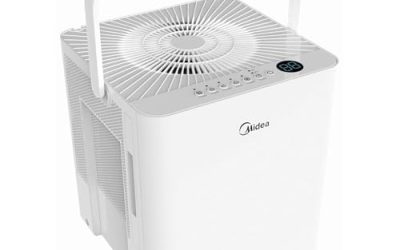
The Midea Cube 50 Pint suits a large basement that stays damp through the wet months. It pulls 50 pints of moisture a day and covers rooms up to 4,500 square feet, so it fits basements, big living areas, and rooms with a laundry setup. Its 4.2-gallon tank is far larger than a standard bucket, which means it runs much longer between empties when the hose is not connected. Wi-Fi control through the SmartHome app lets you change settings from anywhere, and the included drain hose sets up the continuous drain without a separate purchase.
Specs
- Removes 50 pints of moisture per day
- Covers rooms up to 4,500 sq ft
- 4.2-gallon water tank
- Drain hose included for continuous drainage
- Wi-Fi control through the SmartHome app, works with Alexa
- Humidity range from 35 to 85 percent relative humidity
Best for: A large basement that needs a long run between bucket empties.
Watch out for: The unit is a full-size 50-pint machine, so measure your floor space and the path to the drain before it arrives.
ASIN: B0915DV55B
hOmeLabs 50 Pint Wi-Fi
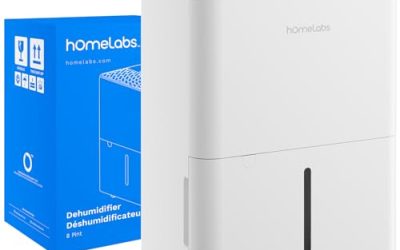
- Best for: A big open room with a drain nearby and a phone you already use to manage the home.
- Removes 50 pints per day at 80 degrees Fahrenheit and 60 percent relative humidity
- Covers rooms up to 7,000 sq ft
- Drain hose outlet for continuous drainage, 3.3-foot hose shown on the Amazon listing
- Wi-Fi enabled for app control of humidity, schedules, and modes
A big open room with a drain nearby and a phone you already use to manage the home.
One secondary source says the hose outlet is provided without a hose, while the Amazon listing shows a hose, so confirm what ships before you count on it.
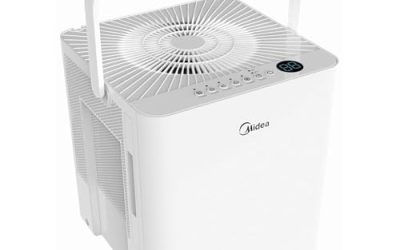
The hOmeLabs 50 Pint Wi-Fi suits a big open room where you want strong moisture removal and a drain you can set and forget. It removes 50 pints a day at standard room conditions and lists coverage up to 7,000 square feet, the widest room rating in this guide. A drain hose outlet gives you continuous drainage, and the Amazon listing shows a 3.3-foot drain hose, so check the listing at purchase time to confirm what is in the box. Wi-Fi control lets you set humidity levels, schedules, and modes from the app instead of walking down to the unit.
Frigidaire 50 Pint Wi-Fi
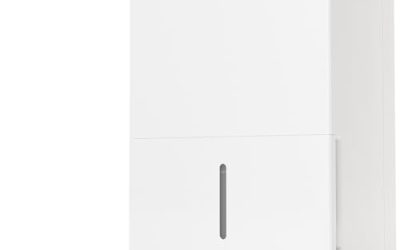
- Best for: A basement with a floor drain where a big bucket is a useful backup.
- Removes 50 pints of moisture per day
- 2.7-gallon front-loading bucket
- Continuous drain port for gravity drainage
- Wi-Fi control through the Frigidaire app
A basement with a floor drain where a big bucket is a useful backup.
This is the newer FHDD5034Y1 model, so do not confuse it with the older Frigidaire Gallery 50-pint unit sold under a different model number.
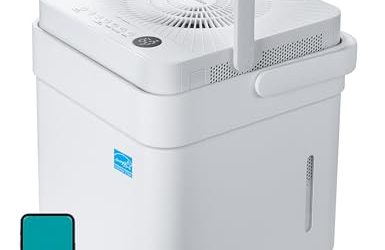
The Frigidaire 50 Pint Wi-Fi suits a basement with a floor drain and a household that wants a newer Frigidaire model with a generous bucket. It removes 50 pints a day and carries a 2.7-gallon front-loading bucket, so it holds more water than most units in this guide when the hose is off. The continuous drain port connects a hose for hands-free operation, and Wi-Fi control through the Frigidaire app lets you change humidity and fan speed from your phone. Three fan speeds give you a quieter setting for the evening and a stronger setting for a wet day.
GE Smart 50 Pint
The GE Smart 50 Pint suits a home you leave empty for days at a time. Built-in Wi-Fi and the SmartHQ app let you control and monitor the unit from anywhere, so you can check the humidity in a basement or a vacation home without being there. It removes 50 pints a day and covers rooms up to 4,500 square feet, and the continuous drain connection lets you run a hose to a convenient drain instead of emptying a bucket. Smart Dry mode adjusts the fan speed based on the room humidity, which keeps the air steady without over-drying it.
Specs
- Removes 50 pints of moisture per day
- Covers rooms up to 4,500 sq ft
- Built-in Wi-Fi with SmartHQ app control and monitoring
- Continuous drain connection for auto or manual drainage
- Smart Dry mode adjusts fan speed to room humidity
- Removable bucket with empty bucket alarm
Best for: A home you leave empty, where remote humidity checks matter most.
Watch out for: The continuous drain connection uses an external hose, so make sure you have a hose that fits and a drain it can reach.
ASIN: B0C6L51RP9
hOmeLabs 25 Pint Wi-Fi
- Best for: A smaller bedroom or apartment that still needs hands-free drainage.
- Removes 25 pints per day at 80 degrees Fahrenheit and 60 percent relative humidity
- Covers rooms up to 3,500 sq ft
- 1-gallon water tank with auto shutoff when full
- Drain hose outlet for continuous drainage, hose included per the listing
A smaller bedroom or apartment that still needs hands-free drainage.
At 25 pints a day it is not built for a large damp basement, so do not buy it for a space far bigger than its coverage rating.
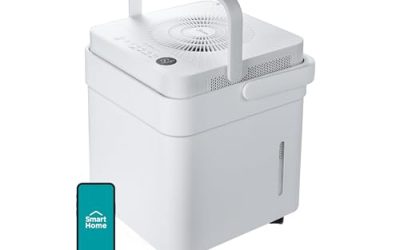
The hOmeLabs 25 Pint Wi-Fi suits a smaller bedroom or apartment where a 50-pint unit would be more machine than the room needs. It removes 25 pints a day at standard room conditions and covers rooms up to 3,500 square feet, which fits bedrooms, home offices, and small living rooms. A drain hose outlet gives you the same continuous drainage as the bigger units, and the listing shows a hose included, so a nearby sink or floor drain is all you need to stop emptying the tank. Wi-Fi control covers humidity, timers, and remote monitoring from the app.
Which One Fits Your Situation
A damp basement with a floor drain
Pick the Midea Cube 50 Pint or the Frigidaire 50 Pint Wi-Fi. Both pull 50 pints a day and drain by gravity through a hose, the simplest setup when a floor drain sits nearby. The Midea has the larger tank for long runs without the hose, while the Frigidaire has the bigger bucket for backup. Run the hose downhill with no kinks, and either unit will keep the basement air steady without a daily bucket trip.
A bedroom or living room where quiet matters
Pick the hOmeLabs 25 Pint Wi-Fi for a smaller room or the GE Smart 50 Pint for a larger one. The 25-pint unit is the right size for a bedroom, while the GE gives you three fan speeds and a Smart Dry mode that eases the fan back once the room reaches your target. Place the unit away from the bed or the sofa, keep the air path clear, and use the app to lower the fan at night.
A home you leave empty for days
Pick the GE Smart 50 Pint. Its SmartHQ app lets you check humidity and change settings from anywhere, which is what matters when no one is home to notice a full tank or a humidity spike. Set the continuous drain up before you leave so the bucket never fills, and set an alert for a full tank as a backup in case the hose comes loose while you are away.
A smaller room or apartment
Pick the hOmeLabs 25 Pint Wi-Fi. It covers up to 3,500 square feet, drains continuously through a hose, and takes up less floor space than the 50-pint units in this guide. A nearby sink or floor drain is all it needs, and the Wi-Fi control means you can adjust it from the couch instead of getting up to press buttons on the unit.
A Quick Safety Note
A dehumidifier is an electrical appliance that handles water, so a few habits keep it safe. Place it on a level floor with clear space around the air intake and outlet, keep the drain hose running downhill without kinks, and never run it with a damaged cord or plug. Unplug the unit before cleaning the filter or the bucket, keep it upright when you move it, and keep it away from standing water. If the unit ever smells of burning or trips a breaker, switch it off, unplug it, and have it checked before using it again.
Common Mistakes
- Buying on pints per day alone and ignoring the drain setup, then finding the hose cannot reach a drain.
- Running a gravity drain hose uphill or with a low loop that traps water and stops the flow.
- Putting a 50-pint unit in a small bedroom, where it cycles on and off and takes up floor space a smaller unit would not.
- Skipping the filter cleaning, which slowly cuts airflow and makes the unit work harder for the same result.
- Assuming every smart dehumidifier works with every voice assistant, without checking the app and assistant support on the listing.
Frequently Asked Questions
Do I still need to empty the bucket if I use the drain hose?
No. Once the hose is connected and running downhill to a drain, the water leaves on its own and the bucket stays empty. The bucket only matters as a backup if the hose is disconnected or the drain is blocked. Check the hose now and then for kinks, and make sure the end sits in the drain.
Can a smart dehumidifier run while I am away from home?
Yes, that is the main reason to buy a Wi-Fi model. You can check the current humidity, change the target level, and switch the unit on or off from the app. Set the continuous drain up before you leave so the bucket never fills, and keep the app alerts on for a full tank or a filter warning.
Does a continuous drain hose need a pump?
Not always. Most units in this guide drain by gravity, which works when the drain sits below the unit and the hose runs downhill. A built-in pump is only needed when the drain is higher than the unit, such as a sink above a basement floor or a window. If your drain is a floor drain, a plain gravity hose is enough.
What humidity level should I set indoors?
Most homes feel comfortable with indoor relative humidity between 30 and 50 percent, and a setting near 45 percent is a common starting point. A lower setting pulls more moisture but runs the unit longer, while a higher setting may leave a basement feeling damp. Start near 45 percent, watch how the room feels over a few days, and adjust from there.