Our Short List of 3
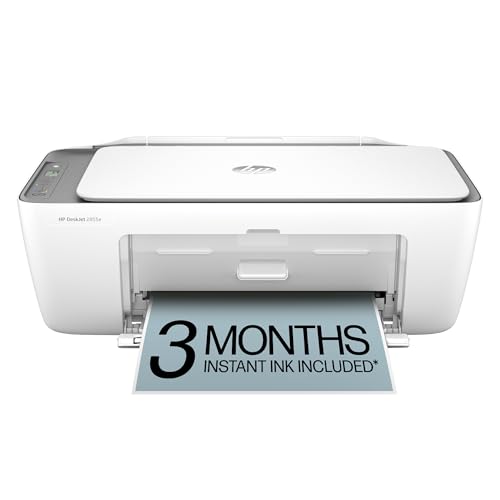
- Best for: A home that prints a few colour pages a week and wants one compact machine for printing, scanning and copying.
- Wireless all-in-one color inkjet printer with scanner and copier
- 60-sheet paper capacity
- Flatbed scanner for documents and photos
- 3-month Instant Ink trial included

- Best for: A home office that scans stacks of paper, copies forms and still needs a fax machine occasionally.
- All-in-one wireless printer with print, copy, scan and fax
- Auto document feeder for multi-page scanning and copying
- Mobile printing from phones and tablets
- Uses PG-275 black and CL-276 color cartridges
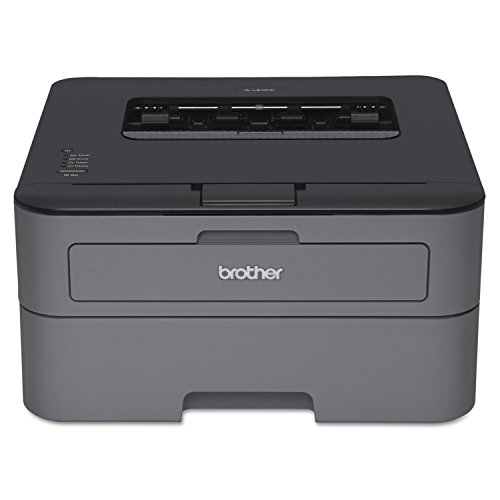
- Best for: A student or remote worker who prints large numbers of black-and-white documents and wants toner that lasts.
- Monochrome laser printer for black-and-white printing
- Automatic duplex printing on both sides of the page
- Print resolution of 2400 x 600 dpi
- Print speed up to 26 pages per minute in black
All 5 Picks at a Glance
| Product | Specs | Action |
|---|---|---|
| HP DeskJet 2855e |
| Check price on Amazon |
| Canon PIXMA TR4720 |
| Check price on Amazon |
| Brother HL-L2300D |
| Check price on Amazon |
 Epson EcoTank ET-2800 |
| Check price on Amazon |
 Canon PIXMA MG3620 |
| Check price on Amazon |
Key takeaways
- Five affordable home printers compared on running costs, paper handling and connectivity, with real Amazon listings and ASINs for each pick.
Buying a cheap printer is rarely about the box on the shelf. The real decision is what each page costs you afterwards, because a printer with a low sticker price can drain a household budget through cartridges, while a slightly dearer machine with refillable tanks or a laser toner cartridge can print hundreds of pages before it asks for anything new. Shoppers also have to weigh whether they need colour at all, whether scanning and copying matter, and whether the printer will serve a whole family over Wi-Fi.
This guide is for home users printing homework and forms, students setting up a first desk, remote workers who need reliable black-and-white documents, and families who print photos and school projects in colour. Every printer below was chosen from the name and specifications shown on its Amazon product page, and the five picks cover the main ways to keep printing affordable: a budget inkjet, a fax-ready all-in-one, a monochrome laser, a refillable tank printer and a long-running wireless all-in-one.
Quick Picks
As an Amazon Associate we earn from qualifying purchases.
| Product | Best for | Key spec from title |
|---|---|---|
| HP DeskJet 2855e | Occasional colour printing at home | Wireless all-in-one color inkjet printer, scanner, copier |
| Canon PIXMA TR4720 | Home offices that scan, copy and fax | All-in-one wireless printer with auto document feeder |
| Brother HL-L2300D | High-volume black-and-white documents | Monochrome laser printer with duplex printing |
| Epson EcoTank ET-2800 | Families printing a lot in colour | Wireless color all-in-one cartridge-free Supertank |
| Canon PIXMA MG3620 | Everyday wireless printing and photos | Wireless all-in-one color inkjet printer |
How to Choose
Inkjet or Laser, and What You Actually Print
Start from the pages you print most often, not from the printer that looks cheapest. An inkjet suits households that print colour photos, school projects and the occasional document, because it handles colour well and the machines are small and inexpensive. A monochrome laser suits anyone who mainly prints text, such as essays, contracts, invoices and forms, because toner does not dry out between uses and each cartridge lasts for a large number of pages. If colour appears in your printing only a few times a month, a basic colour inkjet is enough. If you print twenty black-and-white pages a week and almost never need colour, the laser will save you repeated cartridge purchases and the frustration of dried-out ink.
Running Costs Beyond the Box
The purchase is only the first payment, so look at what keeps the printer running. Standard cartridges hold a modest amount of ink and suit light users, while high-yield cartridges and refillable ink tanks bring the cost of each page down for heavier use. Tank printers arrive with bottles of ink instead of cartridges and are designed for households that print in colour every week, though they ask for more money upfront. Laser printers use toner cartridges that print many more pages than an ink cartridge, which is why they suit document-heavy homes. Before buying, check which cartridge or bottle a model takes and whether a high-yield version exists, because that single detail shapes the real yearly cost.
Paper Handling and Print Speed
Paper handling decides whether printing feels smooth or becomes a chore. A 60-sheet tray is fine for a household that prints a few pages at a time, while a 100-sheet or 250-sheet tray suits families and home offices that load paper once and forget about it for days. Automatic duplex printing, which prints on both sides without you flipping the sheet, saves paper on long documents and is worth having if you print reports or school assignments. An auto document feeder matters when you scan or copy multi-page documents, since it feeds each page for you. Print speed, measured in pages per minute, matters less for occasional use but becomes noticeable when you print a long document before a deadline.
Connectivity and Space
Check how the printer connects before you buy. Wi-Fi printing lets laptops, phones and tablets send jobs without a cable, and mobile printing apps make it easy to print a photo or a boarding pass from a phone. Some budget printers only support the 2.4 GHz Wi-Fi band, so they will not appear on a 5 GHz-only network, and a few models still rely on a USB cable alone. Measure the space on your desk or shelf as well, including room for the paper tray to extend and the scanner lid to open. A compact printer that fits a small desk is worth more than a feature-packed machine that ends up on the floor.
The 5 Best Options
HP DeskJet 2855e
- Best for: A home that prints a few colour pages a week and wants one compact machine for printing, scanning and copying.
- Wireless all-in-one color inkjet printer with scanner and copier
- 60-sheet paper capacity
- Flatbed scanner for documents and photos
- 3-month Instant Ink trial included
A home that prints a few colour pages a week and wants one compact machine for printing, scanning and copying.
It connects only on the 2.4 GHz Wi-Fi band, so confirm your router broadcasts a 2.4 GHz network before buying.
The DeskJet 2855e fits a household that prints a little of everything and wants the simplest possible setup. It prints, scans and copies in colour, connects over Wi-Fi, and includes a trial of the HP Instant Ink service, which suits a family that would rather have cartridges arrive when ink runs low than remember to order them. Its 60-sheet tray matches light use, and the flatbed scanner handles the odd school form or identity document without fuss.
Watch out for: It connects only on the 2.4 GHz Wi-Fi band, so confirm your router broadcasts a 2.4 GHz network before buying.
Canon PIXMA TR4720
- Best for: A home office that scans stacks of paper, copies forms and still needs a fax machine occasionally.
- All-in-one wireless printer with print, copy, scan and fax
- Auto document feeder for multi-page scanning and copying
- Mobile printing from phones and tablets
- Uses PG-275 black and CL-276 color cartridges
A home office that scans stacks of paper, copies forms and still needs a fax machine occasionally.
Faxing needs an active phone line, so check that your home still has one if faxing is the reason you are choosing this model.
The PIXMA TR4720 is the pick for a home office that still deals with paper forms, faxes and multi-page documents. Its auto document feeder takes a stack of pages for scanning or copying, and the built-in fax covers the rare occasions when a form must go by fax rather than email. Wireless printing and mobile printing keep it usable from a phone or laptop anywhere in the house, and its standard ink cartridges are easy to find.
Watch out for: Faxing needs an active phone line, so check that your home still has one if faxing is the reason you are choosing this model.
Brother HL-L2300D
- Best for: A student or remote worker who prints large numbers of black-and-white documents and wants toner that lasts.
- Monochrome laser printer for black-and-white printing
- Automatic duplex printing on both sides of the page
- Print resolution of 2400 x 600 dpi
- Print speed up to 26 pages per minute in black
A student or remote worker who prints large numbers of black-and-white documents and wants toner that lasts.
It has no Wi-Fi and no scanner, so confirm you are happy printing over a USB cable from one computer.
The HL-L2300D is a straightforward monochrome laser printer for anyone whose printing is almost entirely black text. Toner does not dry out the way inkjet ink can, so the printer is ready even after weeks untouched, and its 250-sheet tray means paper refills are rare. Automatic duplex printing keeps long documents tidy and halves the paper used, which matters for essays, contracts, invoices and school handouts printed in volume every week.
Watch out for: It has no Wi-Fi and no scanner, so confirm you are happy printing over a USB cable from one computer.
Epson EcoTank ET-2800
- Best for: A family that prints colour homework, photos and projects every week and wants to stop buying cartridges.
- Cartridge-free Supertank with refillable ink tanks
- Print, scan and copy in colour
- Print speed up to 10 pages per minute in black and 5 in color
- 100-sheet paper capacity
A family that prints colour homework, photos and projects every week and wants to stop buying cartridges.
It costs more upfront than a basic cartridge printer, so it only pays off if your household genuinely prints in colour most weeks.
The EcoTank ET-2800 suits a family that prints in colour often enough for cartridge costs to sting. Instead of cartridges it uses refillable ink tanks filled from bottles, and the included set of Epson 522 ink bottles is designed to last through a large number of pages before a refill is needed. It still prints, scans and copies, and its small colour display makes it easy to check ink levels and copy settings without opening an app.
Watch out for: It costs more upfront than a basic cartridge printer, so it only pays off if your household genuinely prints in colour most weeks.
Canon PIXMA MG3620
- Best for: A family that wants a simple wireless printer for documents, homework and the occasional photo.
- Wireless all-in-one color inkjet printer
- Print, copy and scan
- Mobile and tablet printing
- Automatic duplex printing
A family that wants a simple wireless printer for documents, homework and the occasional photo.
This is an older model, so check that PG-240 and CL-241 cartridges are still easy to buy in your area before committing.
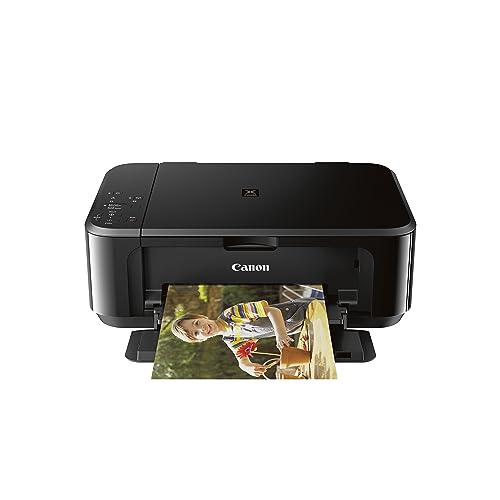
The PIXMA MG3620 is a long-running wireless all-in-one that covers everyday family printing without any complicated setup. It prints, copies and scans, supports mobile and tablet printing, and handles photo printing well enough for school projects and family pictures. It is an easy choice when you want a familiar, dependable machine rather than the newest model. Its automatic duplex printing saves paper, and Alexa compatibility lets the printer warn you when ink runs low and arrange a reorder.
Watch out for: This is an older model, so check that PG-240 and CL-241 cartridges are still easy to buy in your area before committing.
Which One Fits Your Situation
Occasional Printing on a Tight Budget
Pick the HP DeskJet 2855e when printing is light and spread across the week. Its compact size, wireless connection and included Instant Ink trial keep the first months simple, and its scanner covers the odd form. The 60-sheet tray is no problem at this volume, and the main thing to confirm is that your Wi-Fi network offers a 2.4 GHz band.
A Home Office With Paperwork to Scan and Fax
Pick the Canon PIXMA TR4720 when your work involves stacks of paper rather than single sheets. The auto document feeder does the tedious part of scanning and copying, the fax covers official forms, and wireless printing means the printer can sit away from your desk. Keep spare PG-275 and CL-276 cartridges on hand so a long form never waits for ink.
Mostly Black-and-White Documents in Volume
Pick the Brother HL-L2300D when almost everything you print is text. Its toner lasts through far more pages than an ink cartridge, its 250-sheet tray suits heavy days, and duplex printing keeps thick documents slim. The trade-off is real but narrow: no colour, no Wi-Fi and no scanner, so pair it with a phone scanning app if you sometimes need a copy.
A Family That Prints in Colour Every Week
Pick the Epson EcoTank ET-2800 when colour printing is a weekly habit rather than an occasional treat. Refillable tanks replace the cycle of buying cartridges, and the included ink bottles cover a large volume of pages before the first refill. It still scans and copies, so it can be the household’s only printer, and the colour display makes checking ink levels a glance rather than a chore.
Common Mistakes
- Judging a printer only by its box price while ignoring what cartridges, toner or ink bottles cost over a year.
- Buying a colour inkjet for a household that prints almost entirely in black text, where a laser printer would be cheaper to run.
- Assuming every printer supports 5 GHz Wi-Fi, when some budget models connect only on the 2.4 GHz band.
- Choosing a printer with a tiny paper tray for a busy household, then refilling paper every other day.
- Forgetting to check whether the model has a scanner or an auto document feeder before assuming it can copy a multi-page document.
Frequently Asked Questions
Are cheap printers more expensive to run?
They can be, because the real cost is the ink or toner rather than the machine. A low-cost printer that uses small standard cartridges may cost more per page than a dearer printer with high-yield cartridges, refillable tanks or a toner cartridge. Work out how many pages your household prints in a typical month and compare the cartridge or bottle that each model uses before deciding.
Is a laser printer better than an inkjet for home use?
It depends on what you print. A monochrome laser printer is better for black-and-white text, because toner lasts longer, does not dry out and prints quickly. An inkjet is better when you need colour photos, school projects or mixed documents, because laser printers in this price range print only in black and white.
Do I need a printer with a scanner?
Most households benefit from one, even if scanning is occasional. A flatbed scanner copies identity documents, school forms and old photos, while an auto document feeder makes multi-page scanning practical. If you never scan anything and only print documents, a print-only laser printer such as the Brother model above is a reasonable saving.
What should I check before buying a wireless printer?
Confirm the Wi-Fi band it supports, since some budget printers use 2.4 GHz only, and check that your phone and laptop can print to it through the maker’s app or a standard mobile printing service. Also measure your desk space with the paper tray extended and the scanner lid open, and confirm that the cartridges or ink bottles it uses are still sold where you normally shop.