Our Short List of 3

All 4 Picks at a Glance
| Product | Specs | Action |
|---|---|---|
| Garmin Speed Sensor 2 and Cadence Sensor 2 Bundle — ASIN B07PG9MJ79 | Check price on Amazon | |
 Garmin Cadence Sensor 2 (single pod) — ASIN B07PJKYXW5 | Check price on Amazon | |
 Magene S3+ Speed/Cadence Sensor — ASIN B08252X8VS | Check price on Amazon | |
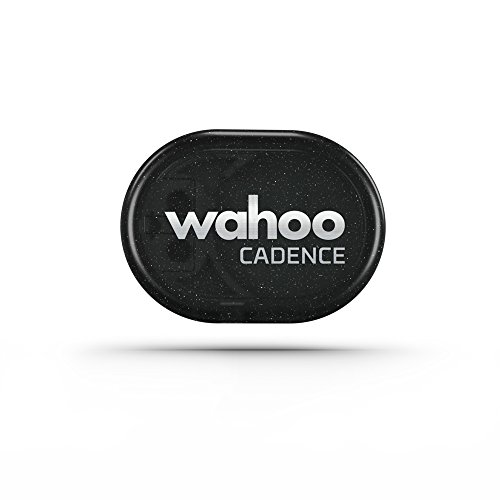 Wahoo RPM Cadence — ASIN B00L9XNFPY | Check price on Amazon |
Key takeaways
- The best bike cadence and speed sensor setup: Garmin's two-pod bundle, a switchable Magene combo sensor, and single pods. Fit, pairing and placement explained.
Cadence and speed are the two numbers that turn a bike computer from a clock into a training instrument. Cadence — pedal revolutions per minute — tells you whether you are grinding or spinning, which decides how your legs feel at the end of a climb. Speed from a wheel sensor is steadier and more accurate than speed from GPS, especially at low speed, under trees and between buildings. This guide covers the sensor hardware only: the pods that mount on your crank arm, hub or chainstay and broadcast to a head unit or phone app over ANT+ and Bluetooth. If you need the display itself, that is the separate bike-computer category; here the job is picking the sensors that feed it.
Disclosure: As an Amazon Associate, this site may earn from qualifying purchases made through links in this article, at no additional cost to you.
Three ways to buy the pair
Manufacturers package these sensors three ways. Two dedicated pods — one speed, one cadence, each doing a single job — are the most reliable arrangement and the easiest to troubleshoot. A bundle is simply those two pods in one box, usually the same hardware with one purchase instead of two. A switchable combo sensor is a single pod that can be set to speed mode or cadence mode depending on where it is mounted; it is the cheapest way in, but one pod can only report one of the two metrics at a time, so a combo pod alone does not give you both numbers at once. Keep that distinction in mind below: the Magene is a combo, the Garmin and Wahoo entries are dedicated pods.
The picks
Garmin Speed Sensor 2 and Cadence Sensor 2 Bundle — ASIN B07PG9MJ79
The default recommendation. Garmin’s second-generation pods are the reference design for this category: the speed sensor wraps around a wheel hub with a silicone strap — no magnet, no alignment — and self-calibrates with a compatible head unit, while the cadence sensor straps to a crank arm and counts pedal strokes with an internal accelerometer. Both broadcast on ANT+ and Bluetooth, so they pair with Garmin head units, other brands’ computers, and phone apps. The speed pod also stores distance internally and syncs it later, which rescues a ride if the head unit was left at home. Buying the bundle rather than the separate pods is the same hardware with one order and one set of packaging; the listing record for the bundle is a few seasons old, so confirm the live page shows the Sensor 2 generation — the “2” matters, as the first-generation pods are older stock with a different battery door design.
Garmin Cadence Sensor 2 (single pod) — ASIN B07PJKYXW5
The same cadence pod from the bundle, sold alone. Buy it this way if you already own a speed source you trust — a GPS head unit whose speed reading you accept, or the bundle’s speed pod on another bike — and only need cadence added. It straps to either crank arm in seconds, needs no magnet, and is the pod to pick when a training plan asks for cadence work on a bike that already has speed covered. Its record is among the strongest in this guide, with current buying activity reported for the model across recent roundups.
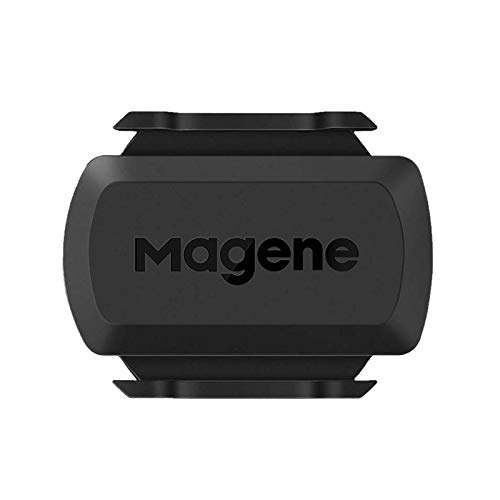
Magene S3+ Speed/Cadence Sensor — ASIN B08252X8VS
The value pick and the flexible one. The S3+ is a single pod that works in either mode: mount it on the hub for speed or on the crank for cadence, set the mode, and it broadcasts over ANT+ and Bluetooth to Garmin, Wahoo and phone apps. Riders use it as an inexpensive way to add the one metric they are missing, or buy two and run one in each mode for a full pair at a lower total than the big-brand pods. The honest limitation is the one stated above — a single S3+ reports one metric at a time. Its tracking record sits on a non-US storefront record of the same global listing, the weakest evidence leg in this article, so confirm the live US listing when you order.
Wahoo RPM Cadence — ASIN B00L9XNFPY
Wahoo’s cadence pod takes a different mounting approach: it can strap to the crank arm like the others, or mount to your shoe, which makes it the pick for riders who swap between bikes — spin bikes, a borrowed bike, a hire bike on a trip — and want their cadence data to travel with them. It is cadence only; Wahoo’s matching speed pod is a separate product. Availability records for this ASIN conflict between mirrors, with some showing it unavailable while others show it in stock, so treat it as a confirm-before-ordering pick: if the live listing shows it in stock, the shoe-mount flexibility is genuinely useful and unique in this group.
The two radios, in practice
Every pod in this guide speaks both ANT+ and Bluetooth, and the difference matters in two situations. ANT+ lets one sensor broadcast to several receivers at once — a head unit and a watch, say — with no pairing exclusivity, which is why it remains the training-ecosystem standard. Bluetooth is what phones and most indoor-training apps expect, and some apps accept only one Bluetooth connection per sensor type, which is why a sensor already connected to a phone app can seem invisible to a head unit until the app releases it. Indoors, the same pods serve double duty: on a trainer, a hub speed sensor gives the training app a consistent speed and distance signal, and cadence completes the picture for structured workouts. If you train indoors and out, buying pods that speak both protocols — all four entries here do — avoids owning two sets.
Using the numbers once you have them
Cadence data earns its keep quickly. Most riders discover their natural cadence is lower than they thought, especially on climbs, where grinding a big gear at low revolutions loads the knees and empties the legs early. A common coaching target is to spend more time in the comfortable spinning range on climbs by changing down earlier than pride suggests, and the sensor is what makes that change measurable rather than aspirational. Speed-sensor data has a subtler benefit: because it comes from wheel revolutions rather than satellite fixes, it stays honest in tunnels, forests and city canyons, and it makes distance totals comparable across a season — the foundation for maintenance intervals and for noticing when a route PB owes more to a tailwind than to fitness.
Fitting and pairing notes
Cadence pods mount on the inside of the left or right crank arm; check clearance between the crank and the chainstay through a full pedal revolution before the first ride, because a pod that kisses the frame will eventually be knocked off. Hub speed pods fit most standard hubs but can be tight on some oversized or aero hubs — if it will not sit flat, the chainstay-mounted magnet designs of older systems are the fallback, not force. Pair each sensor to your head unit one at a time, spin the wheel or crank to wake it, and name the sensors in the head unit’s menu (“speed – road bike”) if you run more than one bike; future pairing confusion is almost always two anonymous sensors waking up in the same room. Battery doors on these pods open with a coin, and the standard CR2032 cell is the one spare worth keeping in a saddle bag.
A final diagnostic worth knowing: if cadence reads exactly double or half your real pedalling rate, the pod is usually counting a magnet or a shoe clip as a second event, or it has been mounted where it passes the sensor point twice. Remount it a few millimetres further along the crank before assuming the pod is faulty.
Magnet-free pods and what they replaced
A word on why every pick here is magnet-free. The previous generation of sensors worked by counting a magnet passing a reed switch on the frame, which demanded precise alignment and punished any knock. The current pods measure rotation directly — the speed pod senses the wheel’s turning from the hub, the cadence pod senses the crank’s swing — so there is nothing to align and nothing to knock out of alignment, and the sensors survive being moved between bikes in a kit bag. The trade is that the pods are small powered devices with their own batteries and radios, rather than passive switches; the category accepted that trade years ago, and the reliability of modern pods is why. If you are replacing an old magnet system, the mounts are not interchangeable, but the head unit almost certainly speaks to both generations, so the pods can be upgraded on their own.
One bike, two bikes, a household of bikes
Ownership pattern decides the smart buy. A single-bike rider should take the bundle and be done. A two-bike rider does best with a bundle on the main bike and a Magene pod or two on the second, since head units store multiple bike profiles and wake whichever sensors are moving. Households sharing a head unit across riders should know that cadence pods are personal in a way speed pods are not — your cadence data on someone else’s ride pollutes both training logs — so a pod per rider for cadence, shared hardware for speed, is the arrangement that keeps everyone’s records clean.
A closing note on batteries and spares: all four pods run on coin cells that cost little and take a minute to change with a coin or a fingernail. Carry one spare of the right size in the saddle bag and a dead sensor becomes a two-minute pause instead of a data-free ride home — the cheapest insurance in this entire category.
Whichever route you take, label the pods with the bike they belong to if more than one set lives in the same house. The sensors are deliberately anonymous little pods, and ten seconds with a marker saves the traditional pre-ride pantomime of spinning three wheels in a hallway to see which one wakes the computer.
Verdict
Buy the Garmin bundle (B07PG9MJ79) for the complete, fit-and-forget pair. Add the standalone Garmin Cadence Sensor 2 (B07PJKYXW5) if cadence is the only gap. Choose the Magene S3+ (B08252X8VS) for value and flexibility, remembering one pod reports one metric. Pick the Wahoo RPM (B00L9XNFPY) if shoe mounting for multi-bike use matters — after confirming the live listing shows stock.