Our Short List of 3

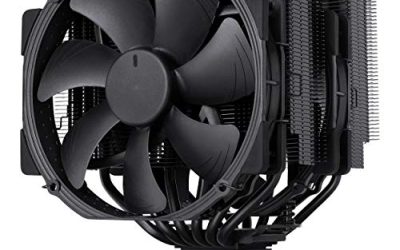
- Best for: Large cases with a hot multi-core CPU and room for a 360 mm radiator.
- Radiator: 398 x 120 x 38 mm, aluminum
- Fans: 3 x P12 Pro 120 mm, 600-3000 rpm, airflow 77 cfm, static pressure 6.9 mmH2O
- Pump: 800-2800 rpm, PWM-controlled, copper cold plate with micro-skived fins
- Tube length: 450 mm

- Best for: Compact mid-tower builds that need a 240 mm radiator and quiet PWM fan control.
- Radiator: 240 mm
- Fans: 2 x 120 mm PWM fans, up to 2000 rpm, airflow 72.37 cfm
- Bearings: S-FDB bearings
- Lighting: ARGB fans and pump block

- Best for: First-time builders who want a simple 240 mm install with ARGB lighting.
- Radiator: 277 x 119.6 x 27.2 mm, aluminum
- Fans: 2 x 120 mm ARGB fans, 650-1750 rpm, airflow 71.93 cfm, noise level 27.2 dBA
- Pump: Gen S dual-chamber pump
- Compatibility: AMD AM5, AM4; Intel LGA 1851, 1700
All 3 Picks at a Glance
| Product | Specs | Action |
|---|---|---|
| ARCTIC Liquid Freezer III Pro 360 |
| Check price on Amazon |
| Thermalright Frozen Notte 240 Black ARGB V2 |
| Check price on Amazon |
| Cooler Master MasterLiquid 240L Core ARGB |
| Check price on Amazon |
Key takeaways
- Find easy maintenance water coolers for your PC. Compare sealed AIO liquid coolers with simple dust care, quiet fans, and fit for AMD and Intel builds.
Choosing a liquid cooler often comes down to one quiet worry: what happens after the build is finished. A sealed all-in-one cooler should not demand regular draining, refilling, or tube replacement, and the best easy maintenance water coolers keep that promise by arriving pre-filled, sealed, and ready to mount. Your real decision is therefore about radiator size, case clearance, socket support, and how much dust cleaning you are willing to do every few months, rather than about plumbing skill.
This guide is for first-time liquid cooling buyers, for gamers who want steady temperatures without a custom loop, and for office and creator PC owners who need a cooler that stays out of the way. Each cooler below was chosen from its name and specifications on the Amazon product page, with attention to sealed design, standard fan sizes, and mounting hardware that a home builder can follow without specialist tools.
Quick Picks
As an Amazon Associate we earn from qualifying purchases
| Product | Best for | Key spec from title |
|---|---|---|
| ARCTIC Liquid Freezer III Pro 360 | Large cases with a hot multi-core CPU | 360 mm radiator with three 120 mm fans and VRM fan |
| Thermalright Frozen Notte 240 Black ARGB V2 | Compact mid-tower builds on a tighter footprint | 240 mm radiator with double PWM fans and S-FDB bearings |
| Cooler Master MasterLiquid 240L Core ARGB | First-time builders who want a simple 240 mm install | 240 mm radiator with Gen S dual-chamber pump and ARGB fans |
How to Choose
Start with radiator size and case clearance
Radiator size decides both cooling headroom and where the cooler can live in your case. A 360 mm radiator needs three adjacent 120 mm fan mounts, usually at the front or top, while a 240 mm radiator needs two and fits a much wider range of mid-tower cases. Measure the mounting area before ordering, and check the depth available above the motherboard, because a thick radiator plus fans can crowd tall memory modules or the top edge of the board. Also confirm that the tubes can reach the CPU block without stretching across a graphics card or pressing against a side panel, since a comfortable tube route makes later dust cleaning far easier.
Pick a sealed design and forget the loop
Easy maintenance starts with a sealed all-in-one unit that ships pre-filled. Look for a factory-sealed loop with fixed tubing, a pump built into the CPU block, and no fill port that invites tinkering. That design removes draining and refilling from your routine entirely, leaving only dust removal and an occasional fan check. Avoid open-loop parts, separate reservoirs, and fittings sold on their own, because each extra joint adds a place to inspect and a reason to open the case more often than you planned.
Check socket support before you buy
Socket support is the detail that turns a smooth build into a return label. Confirm that the cooler lists your exact socket, whether that is AMD AM5 or AM4, or Intel LGA1851 or LGA1700, and check that the correct brackets and backplate are in the box. Some coolers include an offset mount for a particular AMD platform, which can help the cold plate sit over the hottest part of the chip. If you plan a CPU upgrade later, a cooler that already covers the newer socket saves you from buying mounting hardware twice.
Judge upkeep by fans, filters, and access
Long-term upkeep is mostly about dust, not liquid. Standard 120 mm fans are easier to clean and replace than unusual sizes, and a radiator mounted behind a removable dust filter stays cleaner for longer. Choose a layout where you can reach the radiator fins with a soft brush or compressed air without removing the graphics card, and keep the fan cables short and tidy so they do not trap dust. A pump with a simple PWM connection also helps, because your motherboard can then control speed from the BIOS without extra software running in the background.
The 3 Best Options
ARCTIC Liquid Freezer III Pro 360
- Best for: Large cases with a hot multi-core CPU and room for a 360 mm radiator.
- Radiator: 398 x 120 x 38 mm, aluminum
- Fans: 3 x P12 Pro 120 mm, 600-3000 rpm, airflow 77 cfm, static pressure 6.9 mmH2O
- Pump: 800-2800 rpm, PWM-controlled, copper cold plate with micro-skived fins
- Tube length: 450 mm
Large cases with a hot multi-core CPU and room for a 360 mm radiator.
Confirm 360 mm mounting space and at least 63 mm of free space for installation before ordering.
The ARCTIC Liquid Freezer III Pro 360 suits builders with room for a large radiator and a processor that stays busy for long stretches, such as a multi-core chip used for gaming, streaming, and rendering in the same session. Its thick radiator and three fans give it plenty of surface area, while the small VRM fan on the pump block moves air across the motherboard power area that often sits still under a tower cooler. Installation is straightforward for a 360 mm unit, and the sealed loop means your routine after setup is limited to dusting the radiator and checking that the fans spin freely.
Thermalright Frozen Notte 240 Black ARGB V2
- Best for: Compact mid-tower builds that need a 240 mm radiator and quiet PWM fan control.
- Radiator: 240 mm
- Fans: 2 x 120 mm PWM fans, up to 2000 rpm, airflow 72.37 cfm
- Bearings: S-FDB bearings
- Lighting: ARGB fans and pump block
Compact mid-tower builds that need a 240 mm radiator and quiet PWM fan control.
Check that your case is wide enough for a 240 mm radiator mount and that the tubes clear tall memory.
The Thermalright Frozen Notte 240 Black ARGB V2 fits builders who want liquid cooling without giving up a whole side of the case to a large radiator. Its 240 mm size mounts in most mid-tower cases, and the two PWM fans adjust speed with load, so the cooler stays quieter during light work and ramps up only when the processor demands it. ARGB lighting on the fans and pump block suits a windowed build, while the sealed loop keeps the maintenance routine to dusting and a quick visual check of the tubes. It is a practical pick for a gaming PC that needs steady cooling in a normal-sized case.
Cooler Master MasterLiquid 240L Core ARGB
- Best for: First-time builders who want a simple 240 mm install with ARGB lighting.
- Radiator: 277 x 119.6 x 27.2 mm, aluminum
- Fans: 2 x 120 mm ARGB fans, 650-1750 rpm, airflow 71.93 cfm, noise level 27.2 dBA
- Pump: Gen S dual-chamber pump
- Compatibility: AMD AM5, AM4; Intel LGA 1851, 1700
First-time builders who want a simple 240 mm install with ARGB lighting.
Confirm ARGB header support on your motherboard if you want to control the lighting from the board.
The Cooler Master MasterLiquid 240L Core ARGB is aimed squarely at first-time liquid cooling buyers who want a calm, uncomplicated install. Its dual-chamber Gen S pump separates the hot and cool liquid paths inside the pump, and the two ARGB fans move a strong volume of air at modest speed, which keeps noise down during everyday use. The 240 mm radiator fits the front or top of most mid-tower cases, and the included CryoFuze thermal paste means you do not need to buy paste separately. Once mounted, the sealed unit asks for little more than regular dust cleaning.
Which One Fits Your Situation
You have a large case and a demanding processor
Choose the ARCTIC Liquid Freezer III Pro 360. Its 360 mm radiator and three fans provide the most surface area in this guide, and the VRM fan adds airflow where a large air cooler would normally block it. Measure the top or front mount first, because this is the only pick here that cannot fit a compact mid-tower.
You want liquid cooling in a normal mid-tower
Choose the Thermalright Frozen Notte 240 Black ARGB V2. The 240 mm radiator fits far more cases than a 360 mm unit, the PWM fans keep noise in check during light tasks, and the ARGB lighting gives a windowed build a finished look without extra parts. It is the balanced middle choice for most gaming PCs.
You are installing a liquid cooler for the first time
Choose the Cooler Master MasterLiquid 240L Core ARGB. The Gen S pump, included thermal paste, and clear install kit reduce the number of decisions during the build, and the 240 mm size leaves room for error in tube routing. Keep the manual nearby for the bracket steps, and take your time seating the cold plate evenly.
You want the quietest everyday routine
Choose the Cooler Master MasterLiquid 240L Core ARGB or the Thermalright Frozen Notte 240 Black ARGB V2, depending on case size. Both use PWM fans that slow down when the processor idles, so dust cleaning and fan checks become the whole maintenance list. Pick the ARCTIC only if your workload truly needs the larger radiator, since its extra fan adds another moving part to keep clean.
Common Mistakes
- Buying a 360 mm radiator before measuring the case, then finding no mount that fits it.
- Mounting the radiator where the tubes stretch tight across the graphics card or press against the side panel.
- Forgetting to check socket support, and discovering the wrong bracket after the old cooler is already removed.
- Skipping the dust filter or blocking it with cables, which lets the radiator fins clog much faster.
- Setting all fans to full speed in the BIOS, which adds noise without helping a lightly loaded processor.
Frequently Asked Questions
Do easy maintenance water coolers need refilling?
No. The coolers in this guide are sealed all-in-one units that arrive pre-filled, so you do not drain or refill them. Your routine is dust removal from the radiator and fans, plus a check that the tubes, pump, and fan cables are secure. If a sealed unit ever leaks or loses cooling performance suddenly, stop using it and contact the maker rather than opening the loop yourself.
How often should I clean a liquid cooler radiator?
Clean the radiator and fans every two to three months in a dusty room, and every four to six months in a cleaner space. Use bursts of compressed air or a brush, hold the fan blades still while you clean them, and vacuum dust from the case floor afterward. A removable dust filter in front of the radiator makes this job faster and keeps the fins clear for longer.
Is a 240 mm cooler enough for gaming?
Yes, for most gaming processors a 240 mm all-in-one cooler provides ample headroom, especially when the case has good intake airflow and the fans can ramp up under load. A 360 mm radiator helps mainly with sustained multi-core work or a high-wattage chip that runs hot for hours. Match the radiator to your processor and case first, rather than assuming the largest cooler is always the right call.
Can I install an AIO cooler without prior liquid cooling experience?
Yes. Sealed all-in-one coolers are designed for first-time builders, with a pre-filled loop, a pump built into the CPU block, and brackets for common AMD and Intel sockets. Read the manual before you start, mount the radiator before the CPU block if your case is tight, and seat the cold plate evenly. Take your time with cable routing, and check for even contact before closing the case.